
Key Takeaways
- WhatsApp Business automation can support greetings, information collection, bookings, reminders, status updates and human handoff.
- The Business app and Business Platform are different: the Platform provides APIs and webhooks for programmatic workflows.
- After a user messages a business, Meta currently opens a 24-hour customer service window for non-template replies. Outside it, business-initiated messages require approved templates.
- Meta changed WhatsApp pricing from conversation-based to per-message pricing on 1 July 2025. Check current documentation before budgeting or launch.
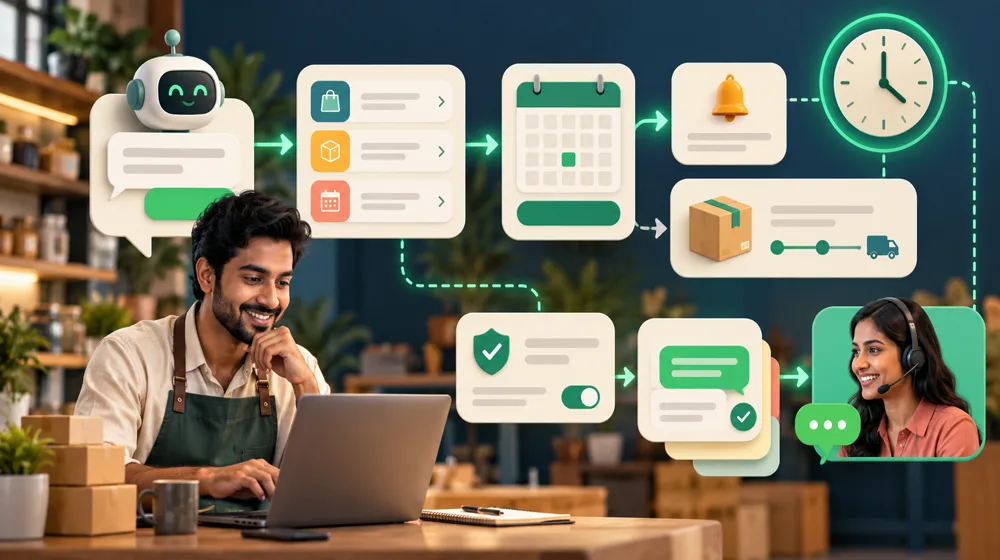
WhatsApp Business automation connects approved messages to a defined workflow, such as greeting a customer, collecting details, confirming a booking, sending an order update or handing the conversation to a person. Start with consent, a specific customer purpose, accurate business data and a staffed escalation route. Businesses using the Platform must follow Meta's current rules for customer service windows, templates, opt-in, message categories and pricing rather than treating WhatsApp like unrestricted bulk messaging.
The right starting point is the customer's purpose and the business action that should follow. A technically successful message is not useful if it reaches someone without appropriate permission, contains an outdated status or leaves nobody responsible for the reply.
This guide summarises current official documentation checked on 10 October 2026. WhatsApp rules change, so verify Meta's current WhatsApp Business Platform documentation when designing, approving and maintaining a live workflow.
WhatsApp Business App Versus WhatsApp Business Platform
| Option | How it is used | Best fit |
|---|---|---|
| WhatsApp Business app | People manage conversations through the business application with its available business features | A smaller operation handling a manageable number of conversations manually |
| WhatsApp Business Platform | Software sends and receives messages programmatically through APIs and webhooks | Connected workflows, structured automation, multiple systems or support at scale |
The app is suitable when people can manage the conversation volume with the business features available in the application. The Platform is the programmatic option. Meta's Cloud API documentation describes it as a way to message and call on WhatsApp through APIs, with incoming messages and delivery status updates communicated through webhooks.
The Platform is not a self-contained customer-support process. A business still needs contact permission, approved content, routing, connected source data, ownership and a way for a person to take over.
What Can WhatsApp Business Automation Handle?
| Use case | Possible workflow | Control to include |
|---|---|---|
| Greeting and collection | Acknowledge contact and ask approved menu or detail questions | Do not imply a person has reviewed the request |
| Away response | State availability and collect enough context for later review | Set a realistic expectation and urgent-contact route where relevant |
| Booking | Offer permitted options and confirm a selected slot through the source system | Prevent double booking and route exceptions |
| Reminder | Send an appropriate approved reminder for an existing booking or request | Consent, timing, stop conditions and current template rules |
| Order update | Retrieve and send an allowed status linked to the correct customer | Identity checks and no invented status |
| Human handoff | Transfer the conversation and collected details to a named queue | Ownership, operating hours and complete context |
Greetings and guided menus
A first response can identify the business and present a small set of relevant choices. Keep the choices connected to real next steps. A long menu that ends in an unmonitored inbox does not improve service.
Bookings and reminders
A connected workflow can show permitted availability, write a confirmed selection to the booking source and send an approved reminder. The source system, not an AI-generated reply, should determine whether a slot is actually available.
Order or service updates
The workflow can collect an identifier, perform an appropriate identity check and retrieve a permitted status. It should never infer that an order shipped or a service completed because a similar case did.
Human handoff
Complaints, refunds, negotiation, sensitive information and unsupported questions should reach a person. The handoff should preserve the message history and collected details while clearly telling the customer what happens next.
How Does the 24-Hour Customer Service Window Work?
According to Meta's current documentation, when a WhatsApp user messages a business, a 24-hour customer service window opens. During an open window, the business can send non-template messages. The window is based on the user's most recent message.
When the customer service window closes, non-template messages can no longer be sent. A business-initiated message outside that window must use an approved message template. A new template message does not remove the need for permission, relevance and policy compliance.
| Situation | Message type under current Meta documentation | Practical implication |
|---|---|---|
| Customer messaged within the last 24 hours | An open customer service window permits non-template messages | The business can reply within the permitted window, subject to policy and consent context |
| No open customer service window | A message initiated by the business must use an approved template | The correct approved template and category are required |
| Utility template during an open customer service window | Meta currently states it is free | The template still needs to match its approved purpose |
| Marketing template | Meta currently charges delivered marketing template messages | Permission, relevance, quality and current rates must be reviewed |
This is a platform summary, not a permanent substitute for Meta's live documentation. Check the current sending-messages and pricing guidance before implementation because window, category and charging rules may change.
What Are WhatsApp Message Templates?
A message template is a structured message submitted for approval and used for an approved purpose. Templates allow a business to initiate communication outside an open customer service window when the applicable rules are satisfied.
Meta currently categorises templates by purpose, including marketing, utility and authentication. The category applied to a template affects how it may be used and charged. The business is responsible for reviewing the category assigned to an approved template.
Template wording should be specific enough to match the reason for contact. Do not use a service update template to disguise an unrelated promotion. Keep variables bounded and validate them so the workflow cannot insert the wrong customer's data or an unapproved claim.
Opt-In, Consent and Respectful Messaging
Before sending proactive messages, establish that the person expects communication from the business on WhatsApp for the stated purpose. Record where and when the number and permission were provided. A phone number collected for one purpose should not silently become permission for unrelated campaigns.
A practical consent record can include:
- The WhatsApp number in an appropriate format.
- The form, page, conversation or offline process where permission was obtained.
- The stated purpose, such as booking updates or requested follow-up.
- The timestamp and applicable wording shown to the user.
- Opt-out, complaint and do-not-contact status.
Make stopping straightforward and apply the stop state across connected workflows. If one system records an opt-out but another reminder sequence continues, the overall process has failed.
How Does Current WhatsApp Pricing Work?
Meta's official WhatsApp pricing documentation states that conversation-based pricing was replaced on 1 July 2025. Meta now charges on a per-message basis when a template message is delivered.
Current rates vary by template category and the recipient's country calling code. Meta also documents that non-template messages are free but can only be sent inside an open customer service window, and that utility templates delivered during an open customer service window are currently free. Other free-entry and volume-tier rules may apply.
Do not copy a current rate into a permanent business case. Record the template categories, destination markets, expected delivered volume and date the rate card was checked. Monitor delivery-status and pricing data after launch. No Meta amounts or Sivaga prices are stated here because they can change and project scope differs.
Example: Booking Reminder Flow (Illustration, Not a Client Result)
Imagine a customer requests an appointment through a form and explicitly chooses WhatsApp for updates. The booking system confirms the slot, and the workflow records the permission source and appointment identifier.
The system sends the appropriate approved confirmation or reminder according to the current window and template rules. If the customer replies, the conversation enters the applicable service window and can continue with permitted non-template messages. A request to change the service, dispute a charge or speak to someone routes to a person.
If the booking is cancelled, the connected status stops future reminders. The workflow never guesses availability and never sends a promotional sequence merely because the customer accepted a booking update.
Human Handoff Must Be Part of the Design
Tell customers how to reach a person and define which messages trigger transfer. The staff queue should receive the conversation, customer details, current status and reason for handoff.
A person should take over for complaints, refunds, negotiation, sensitive requests, unclear identity, unsupported language or repeated unsuccessful automation. Outside operating hours, state when the team will respond rather than simulating immediate human availability.
For the broader support process, see how to automate customer support safely. For enquiry acknowledgement and reminder design across channels, read how to automate lead follow-up.
Common WhatsApp Automation Mistakes
- No clear opt-in: a collected phone number is treated as permission for any message.
- Old pricing assumptions: the budget still uses the deprecated conversation-based model.
- Wrong template purpose: approved wording is stretched into a different type of communication.
- No window logic: the workflow attempts a non-template message after the service window closes.
- Stale source data: a booking or order update is generated without checking the current record.
- Missing handoff: customers repeat themselves because no person receives the full context.
- Disconnected stop states: opt-outs or cancellations do not stop every related sequence.
- Excess collection: the flow asks for personal data that the stated action does not require.
Privacy and Operational Controls
Map which data enters WhatsApp, which connected systems receive it, who can access the conversation and how long records are retained. Keep tokens and credentials out of messages and restrict each integration to necessary permissions.
Verify webhook requests, protect against duplicate events and record delivery failures. Staff need a process for correcting the wrong customer record, stopping a sequence and responding when the API or connected system is unavailable.
Sivaga's AI automation services can combine workflow tools, AI APIs and custom Laravel code with review checkpoints. The dedicated WhatsApp chatbot development service covers WhatsApp Business API setup and menu-driven or conversational flows.
Frequently Asked Questions
Can I automate WhatsApp replies?
Yes, approved workflows can handle greetings, menus, detail collection, booking confirmations, reminders, status updates and routing. The implementation must follow current Meta rules, use reliable source data and provide a human handoff for exceptions and sensitive cases.
Do I need the WhatsApp Business Platform API?
Not every small operation needs API automation. The Business app may suit manageable manual conversations. The Platform is appropriate when software must send and receive messages programmatically, use webhooks or connect WhatsApp to other business systems.
What are WhatsApp message templates?
Templates are structured messages submitted for approval and used for approved purposes. Under current Meta rules, business-initiated communication outside an open customer service window requires an approved template. Categories and requirements should be checked in Meta's current documentation.
Do I need customer consent?
Businesses should establish and record that the person expects WhatsApp communication for the stated purpose. A number collected for one interaction is not permission for unlimited or unrelated messaging. Honour opt-outs across every connected workflow.
What does WhatsApp automation cost?
Meta currently uses per-delivered-template-message pricing, with rates varying by category and recipient country code. Tool, implementation and support costs may also apply. Check Meta's current pricing page and request a scoped implementation quote rather than relying on a permanent generic figure.
Conclusion
WhatsApp Business automation works best when message permission, window logic, templates, source data and human ownership are designed together. The platform connection is only one part of a dependable customer workflow.
If you have a specific WhatsApp process to automate, request a free consultation. Sivaga can help define the flow and identify where a person should remain responsible.
More Guides
- How to automate customer support with AI covers phased rollout and answer safeguards.
- How to automate lead follow-up covers acknowledgement and limited reminders.
- How AI automation works explains triggers, actions and failure handling.
Automate Your Inbound Lead Capture 24/7
Deploy conversational web chatbots and automated lead routing systems that qualify visitors and book calls around the clock.
References & further reading