
Key Takeaways
- A webhook pushes data to you the instant something happens; an API call is you requesting data or action on demand.
- Most real automation workflows use both together, a webhook to trigger the workflow and API calls to carry out the steps.
- Common failure points (timeouts, rate limits, expired credentials) are predictable and should be planned for, not treated as rare surprises.
- You do not need to write code to understand this well enough to ask good questions of whoever builds your automation.
APIs and webhooks are how AI automation systems communicate with each other: a webhook pushes data to you the instant something happens (a form is submitted, a payment is confirmed), while an API call is you requesting data or an action on demand, and most real workflows use both together.
Understanding the basic difference between a webhook and an API call helps you follow a technical conversation about your own automation without needing to write any code yourself.
Webhook vs API Call
| Webhook | API Call | |
|---|---|---|
| Direction | Pushed to you the instant something happens | You request it when you need it |
| Analogy | A doorbell ringing when someone arrives | Calling someone to ask a question |
| Typical use | A new form submission, a payment confirmation | Looking up a record, sending a message, fetching data |
| Timing | Real-time, event-driven | On-demand, whenever triggered |
A simple way to remember the distinction: a webhook is like a doorbell, it rings when someone arrives, without you having to check. An API call is like picking up the phone to ask a specific question whenever you need an answer.
A Basic Request and Response Flow
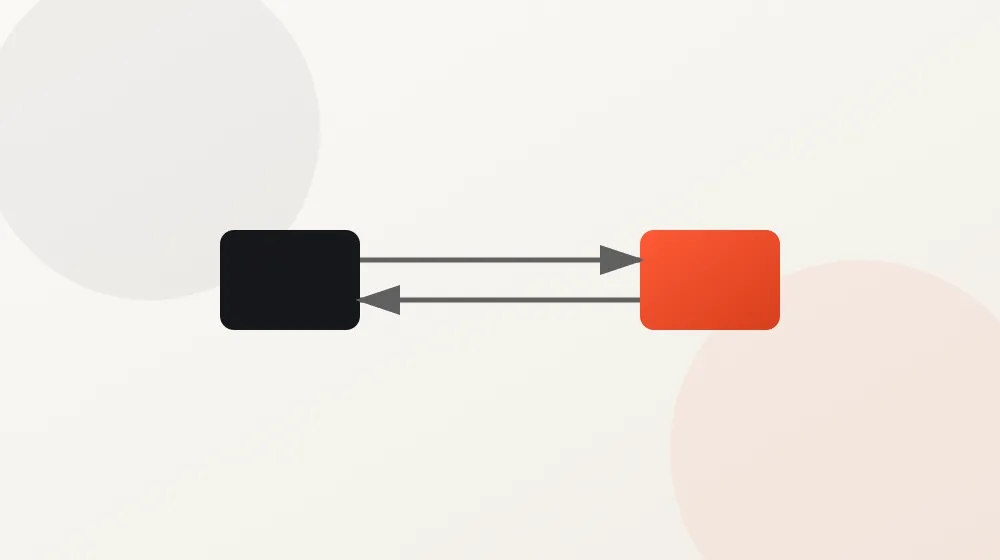
In a typical workflow, a webhook fires the moment a trigger event happens, for example a new lead form submission. That webhook passes the submitted data into the workflow. From there, one or more API calls might look up whether this person already exists in the CRM, create a new record if not, and send a confirmation message. Each of these steps is a separate request and response, chained together by the workflow logic.
Common Failure Points and Why Monitoring Matters
APIs and webhooks are reliable most of the time, but not always. The table below covers the most common failure points and what a well-designed system does about each one.
| Failure Point | Why It Happens | What a Good System Does |
|---|---|---|
| Timeout | The other service takes too long to respond | Retries with a short delay, then flags if still failing |
| Rate limit | Too many requests sent in a short window | Spaces out requests or queues them instead of failing outright |
| Authentication expiry | An API key or token expires or is revoked | Alerts a person immediately rather than failing silently |
| Malformed data | The incoming data does not match the expected format | Validates input and flags anything unexpected for review |
This is exactly why monitoring matters as much as the initial build; see AI automation monitoring and error handling once that guide is live for the full detail on catching and responding to these failures.
Questions Worth Asking About Any Proposed Integration
Whether or not you understand the technical implementation, a few plain-language questions reveal whether a proposed integration is well thought through. What triggers this workflow, and could that trigger fire more often than expected? Which steps depend on an external service staying available, and what happens if that service is briefly down? Is there a limit on how many times this can run in a short period, and what happens if that limit is reached? Specific, confident answers to these questions are a good sign; vague reassurance is not.
Frequently Asked Questions
Do I need to understand APIs to use AI automation?
No, not to use the end result, but a basic understanding helps you follow technical conversations with whoever builds or maintains your automation and ask more specific questions.
What happens if an API call fails?
A well-designed workflow retries automatically for transient failures and alerts a person when a failure cannot be resolved automatically, rather than failing silently.
Are webhooks more reliable than API calls?
Neither is inherently more reliable; they serve different purposes, and most workflows depend on both working correctly together.
Conclusion
Webhooks and API calls are the basic communication mechanisms behind almost every AI automation workflow. Understanding the distinction, and the common ways each can fail, gives you a practical foundation for evaluating any proposed automation.
If you want this explained against your own specific tools, talk to Sivaga Technologies.
More Guides
- AI Automation Architecture: How the Pieces Fit covers where this fits into the bigger picture.
- AI Automation With CRM Systems applies this specifically to CRM integration patterns.
Automate Your Inbound Lead Capture 24/7
Deploy conversational web chatbots and automated lead routing systems that qualify visitors and book calls around the clock.
References & further reading